
AI Barcode Generator · Free Online Tools
Free Online Barcode Generator for Print‑Ready Labels
Create and print labels with our free online barcode generator. Enter your data manually, or describe your task to the AI Barcode Generator for help with formats, sequences and label settings. Standard generation is free; optional AI workflows use credits.
The Free plan includes up to 50 barcodes per batch. Larger batches require a paid plan; optional AI workflows use credits.
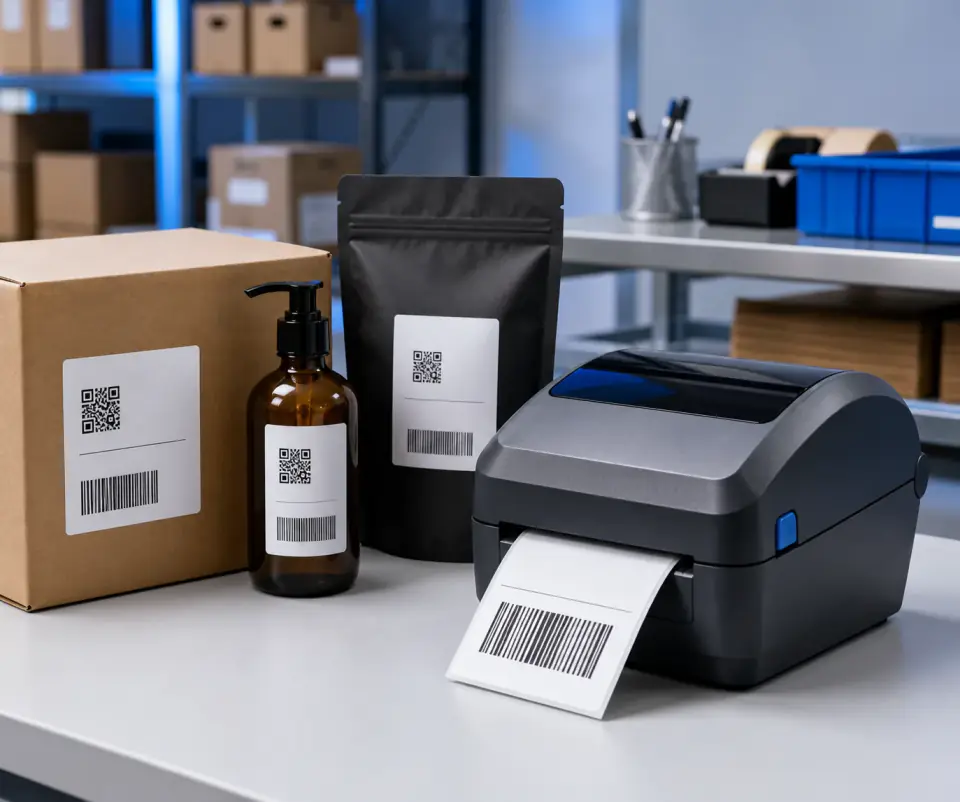
Barcode production workspace
Deterministic rendering · live preview · print-ready exports
Barcode settings
Size
Human-readable text
Advanced settings
Output
Text above barcode
Text below barcode
Live preview
Rendered in browser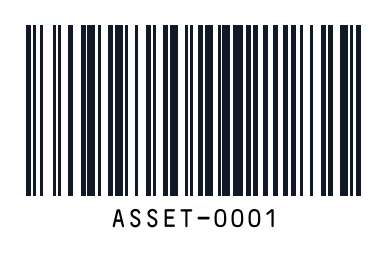
Current symbology: code128
Use it for single generation, batch generation and reusable templates. Export as JPEG, PNG or high-resolution SVG when you are ready.
Saved templates
View allNo saved templates yet.
AI-assisted barcode setup, from a simple request
Describe a task such as “Create 30 asset labels starting from ASSET-0001.” AI helps prepare the format, sequence and label settings. Review the setup, then generate your barcodes.
Create 30 asset labels starting from ASSET-0001.
Describe your label job
Tell the AI Label Planner what you need in English or Chinese, including the identifiers, quantity and label requirements.
Review the AI-assisted setup
Check the suggested format, sequence and settings against your business records. Adjust any values before printing or export.
Generate with standard barcode encoding
AI helps with setup; the barcode encoder renders the bars and modules from your data. Preview the result and scan-test a printed sample.
AI planning requires sign-in and credits. Opening the planner does not submit a request. Standard manual generation remains free.
How to use the free online barcode generator
You can create a barcode directly on this page. Start with the value you want a scanner to read, then choose the format required by your inventory system, label workflow or receiving business. The preview helps you check the result before downloading, but a printed sample is still the best way to confirm that your label works with your actual scanner.
Enter the value you want to encode
Type or paste your identifier into the generator. Use the exact value stored in your records, including any leading zeroes that belong to the identifier. A barcode carries that value; it does not automatically create a product record or connect the label to an inventory database. For a first test, use a familiar record so you can easily compare the scanned result.
Choose a barcode format
Select the format your workflow requires. Code 128 is a practical option for many internal identifiers containing letters and numbers. Retail and logistics systems may require a particular format and identifier structure. If you are unsure, check the receiving system’s requirements before creating the label. A barcode that renders successfully is not necessarily the right format for every application.
Adjust the label and review the preview
Set the barcode dimensions and optional human-readable text to fit your label. Keep the bars clearly separated from surrounding text and preserve the blank space around the symbol. Review any validation messages before continuing. Longer values may need more space, so avoid squeezing a dense barcode into a layout designed for a short identifier.
Download or print your barcode
Download SVG when you need a vector file for a label layout, or PNG when your destination application needs an image. You can also print from the browser. Test at the final physical size, scan the printed label and compare the decoded value with your original input. Keep the source data with your files so you can recreate the label later.
What can you create for free?
The free online barcode generator includes standard barcode creation, live previews, downloads and browser printing. You can create a single barcode without signing up, and these standard actions do not consume AI credits.
The Free plan supports up to 50 barcodes per batch. Larger batch limits are available on paid plans. Saved templates also have plan limits, so check your allowance when preparing repeat jobs.
AI-assisted setup is optional. Use it when you want help turning a written request into barcode settings, or continue with the manual controls. AI workflows use credits separately from standard barcode generation. You do not need to request an AI plan to create, download or print a barcode.
Check your barcode before printing
A barcode that looks sharp on screen can still be difficult to scan after printing. Start with strong contrast and enough blank space around the symbol. Avoid stretching the image or placing text over the bars.
Print a sample using the label stock and printer settings you will use for the final job. Check that the printed size matches your layout, then scan it with the intended device. Compare the decoded value with the original record rather than checking only the text beneath the barcode.
If scanning fails, review the format, source data, dimensions and printer settings before generating another file. Increasing the image size alone will not correct an invalid identifier or a format that the receiving system does not support.
Create barcode labels online for everyday tasks
Create a single label, prepare a small batch or reuse a layout for repeat work. Start with the standard tools, then choose additional features when your workflow needs them.
Choose from 17 barcode formats
Create Code 128, EAN, UPC, QR Code and other supported formats. Choose the format required by the system that will read your label.
Download and print your labels
Export a barcode as SVG or PNG, or print from your browser. Check a sample at its final size before producing the remaining labels.
Generate a free batch
Prepare up to 50 barcodes per batch on the Free plan. Import Excel or CSV, paste a list or create a numbered sequence.
Prepare repeat label jobs
Use sequences and reusable templates to keep recurring label work consistent. Batch size and saved-template limits depend on your plan.
Process standard data locally
Standard barcode rendering and spreadsheet parsing run in your browser. Check your input and output without requesting an AI workflow.
AI Barcode Generator assistance
Turn an English or Chinese request into barcode settings with the AI Label Planner. Review the suggested setup before exporting; AI workflows use credits.
Pricing
Standard barcode generation is free. Credits are only used for AI planning and visual mockups.
Free
For standard barcode generation
- Up to 50 labels per batch
- 1 saved template
- Single and batch generation
- Excel / CSV import
- SVG, PNG, JPEG, ZIP and browser printing
- No AI credits included
Starter
For occasional label and mockup work
- Everything in Free
- Up to 500 labels per batch
- Up to 5 saved templates
- 100 AI credits / month
- AI Label Planner
- AI product mockups
Pro
For ecommerce and operations teams
- Everything in Starter
- Up to 5,000 labels per batch
- Up to 10 saved templates
- 500 AI credits / month
- Priority support
Enterprise
For higher-volume business workflows
- Everything in Pro
- Up to 10,000 labels per batch
- Unlimited saved templates
- 2,000 AI credits / month
- Dedicated support
Prices exclude applicable taxes. Taxes may be added at checkout based on your location.
Free online barcode generator FAQ
Answers about free generation, barcode formats, retail identifiers, batch files, printing and privacy.
Create your free barcode online
Enter your data, preview the label, and download or print the result. No account is needed for standard generation.